Explore the App
Find a fragrance for today, discover new scents, and get more from the bottles you love.
Choose what to wear todayChoose what to wear today
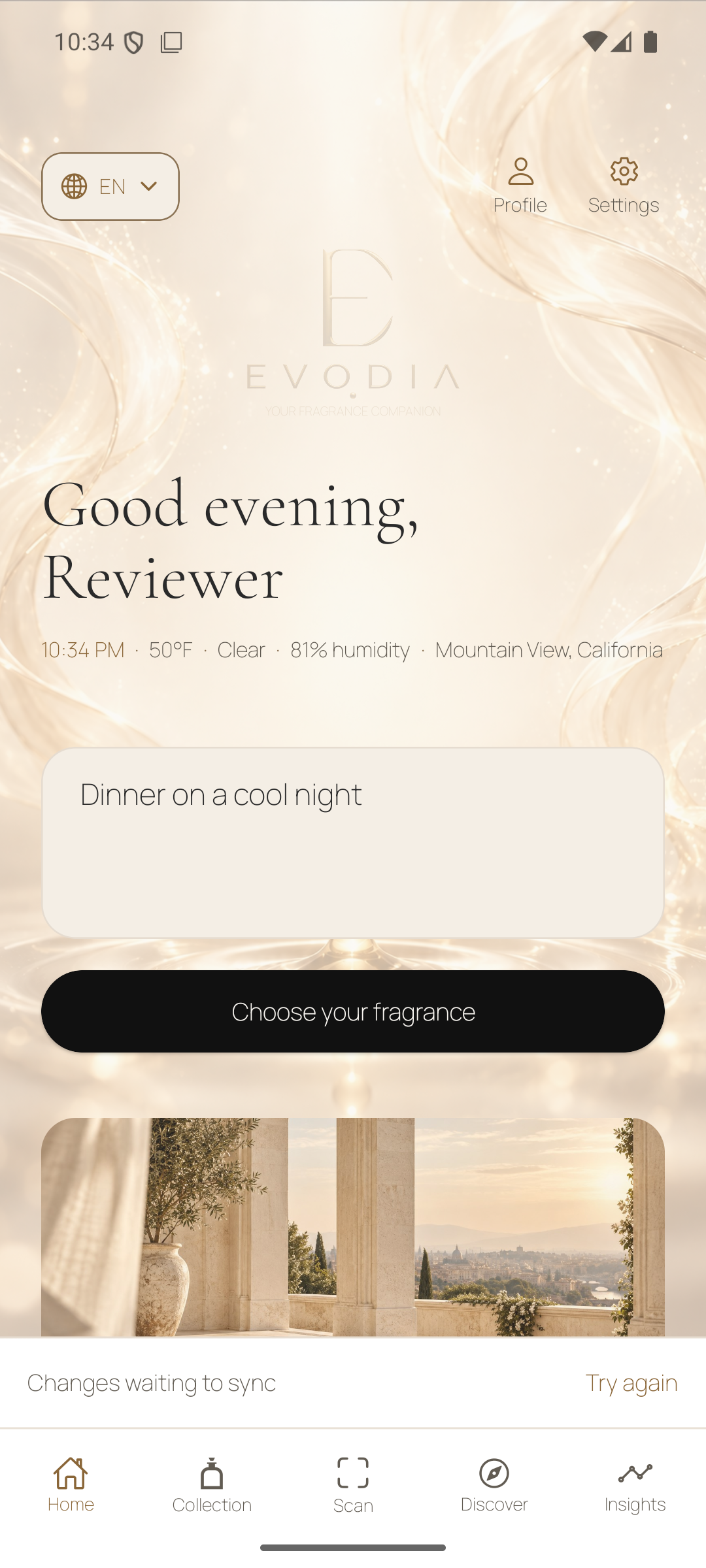
Start on Home. Describe your plans and tap Choose your fragrance. Evodia suggests something from your collection using the occasion, the preferences you share, and local weather when available.
Try a prompt like one of these
- “I have a long day at the office. Pick something clean and understated from my collection.”
- “It’s cool out and I’m going to dinner. What warm, cozy scent should I wear?”
- “I’m running errands in the heat. Choose a bright citrus that stays close to the skin.”
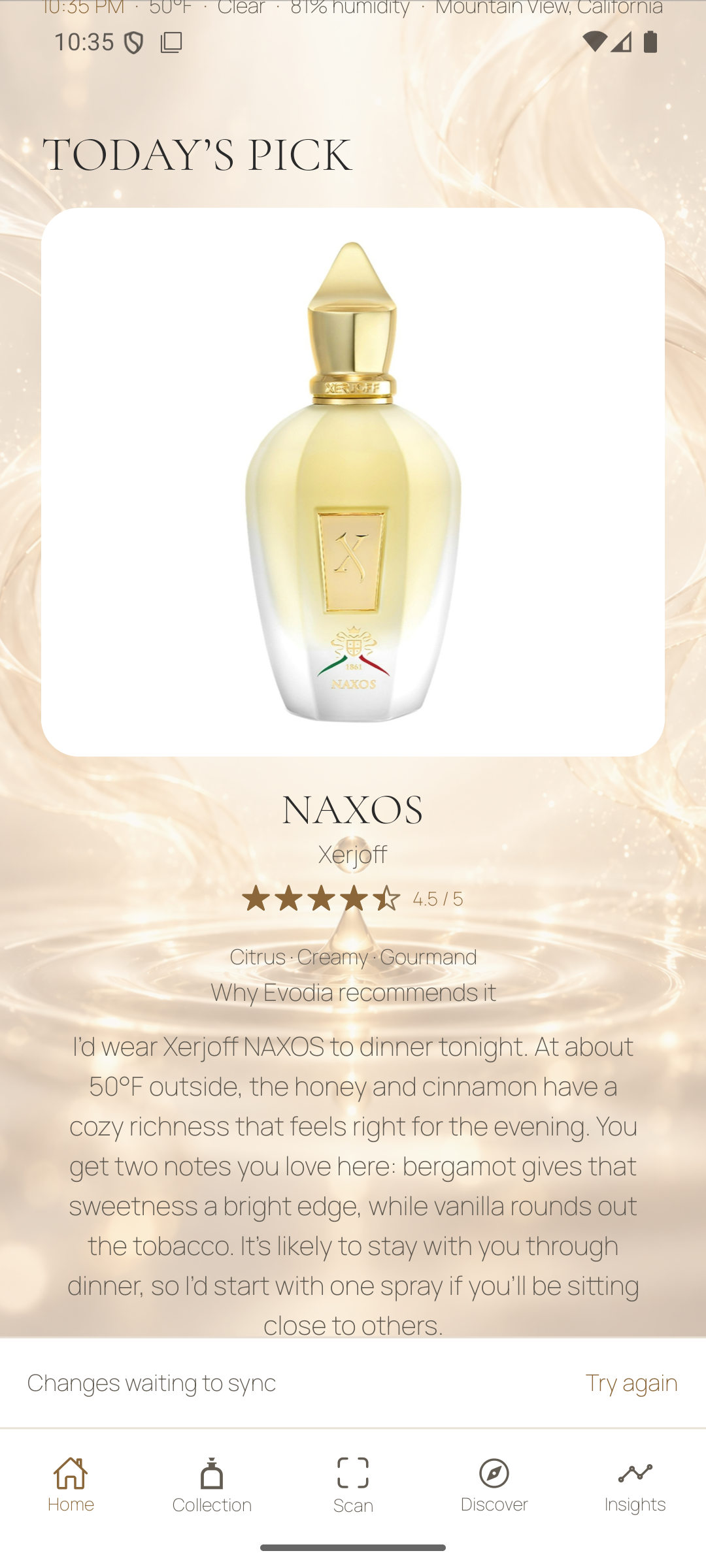
Read the reason and try another
Read why Evodia chose the fragrance. Tap Show Me Another for a different option, or add a detail like “fresher” to refine it. Log the fragrance if you wear it.
Make your collection yours
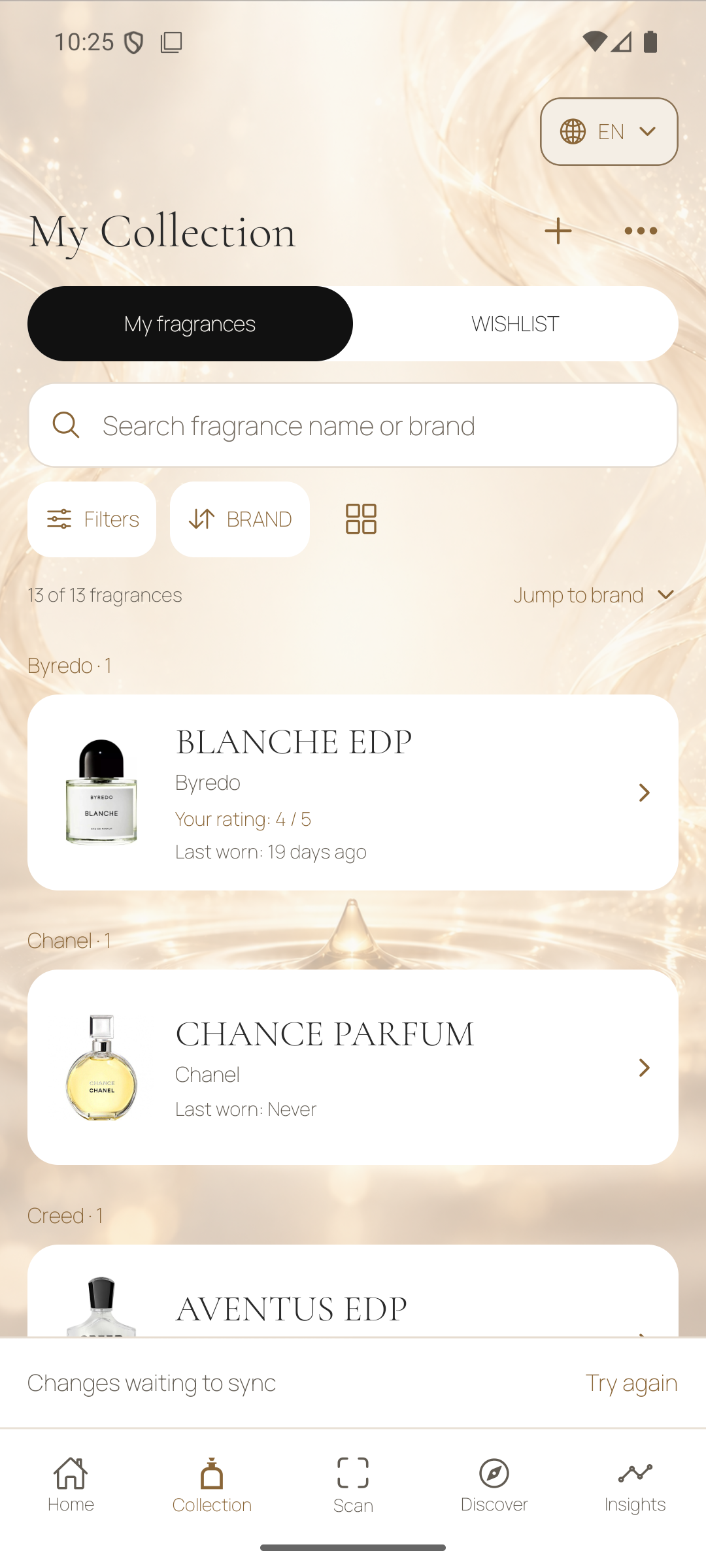
Collection brings together the bottles you own and the fragrances you’d like to try. Search by fragrance name or house to find an exact bottle again.
Open a bottle and keep a wear record
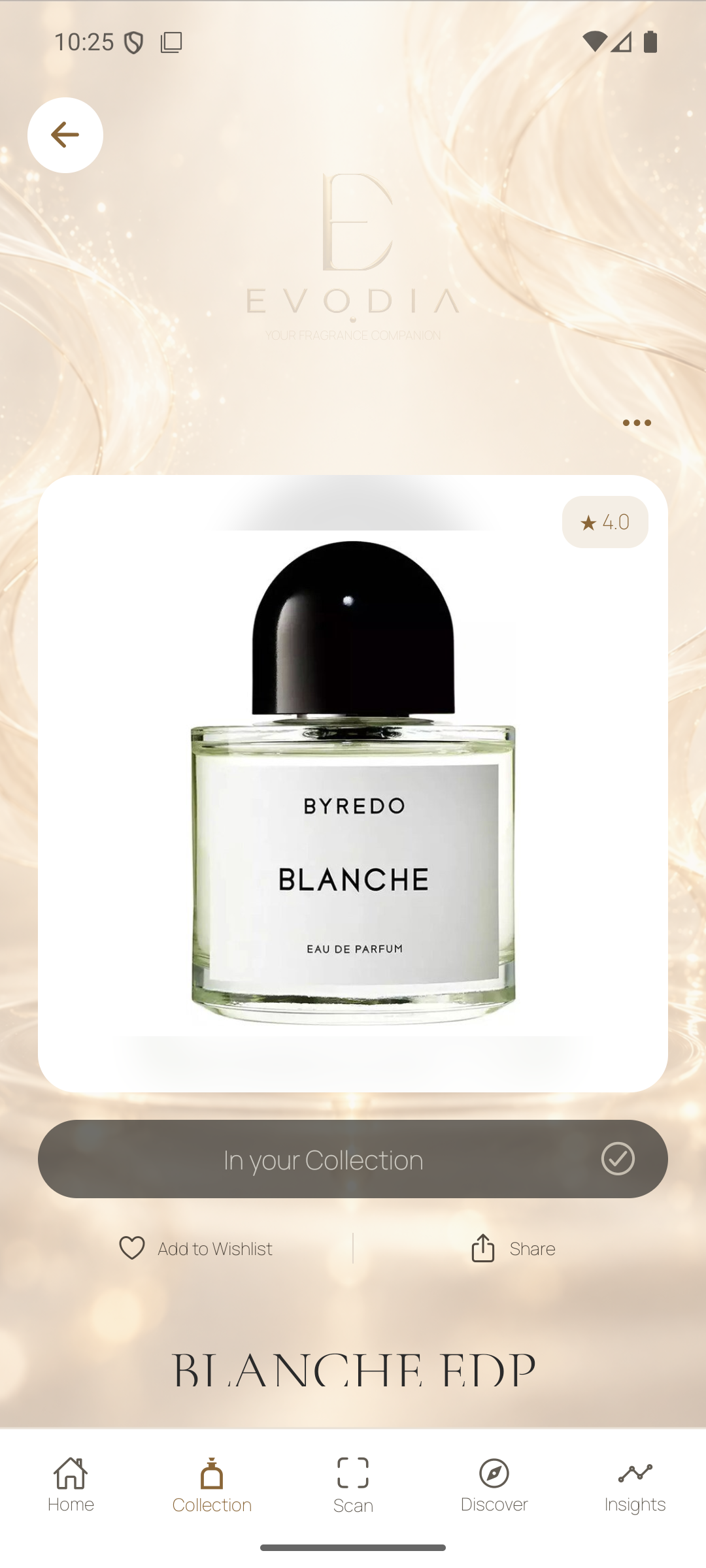
Tap a bottle to see available notes, accords, concentration, longevity, and projection. Open Similar Fragrances when you want to explore related scents. In your collection you can rate the scent, record a wear, save a memory, and manage its photo. Your own ratings and wears help put later suggestions in context.
Keep a wishlist
Save fragrances you want to try, then set purchase priorities for the ones that interest you most. The wishlist also gives Buy Smarter something specific to evaluate against bottles you already own.
Find a bottle with Scan
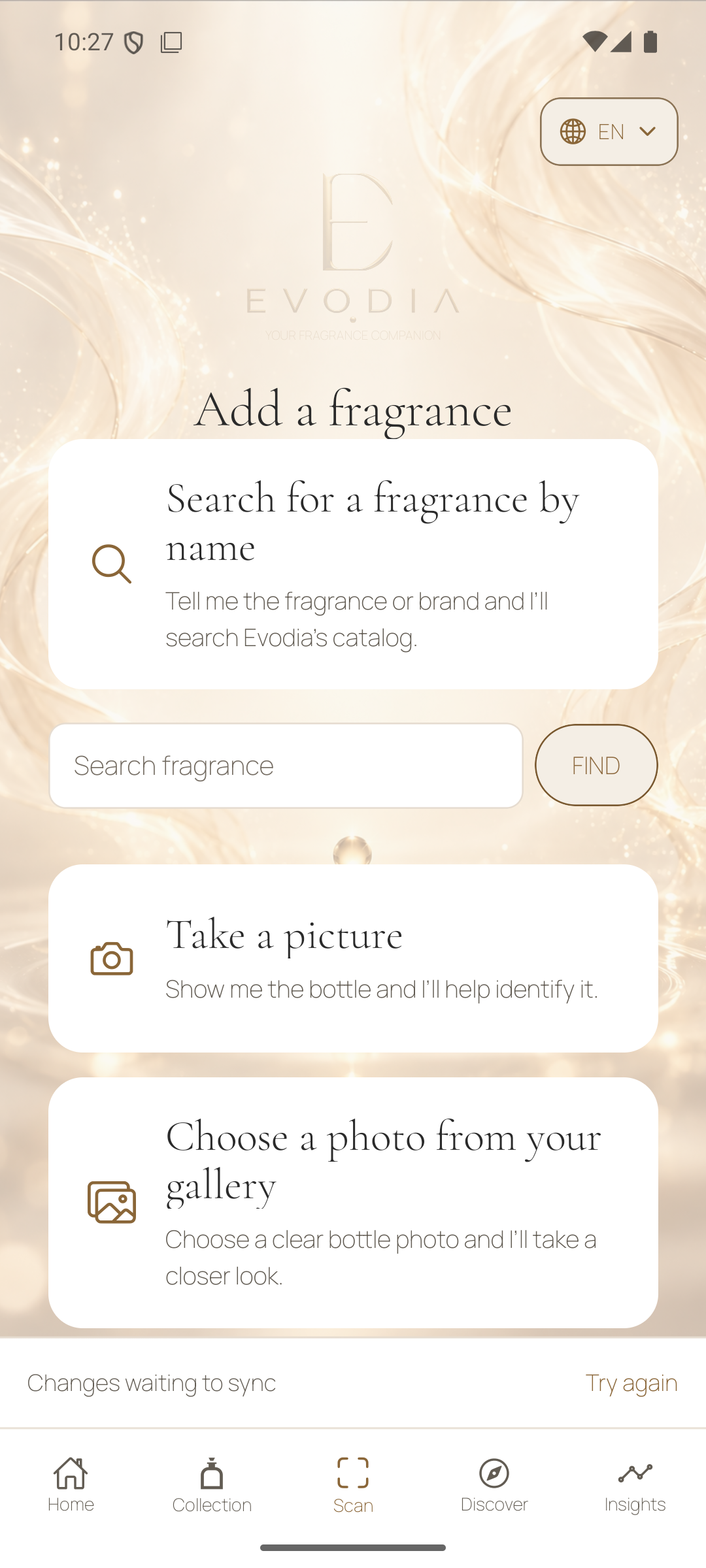
Open the Scan tab or use the add button in Collection. Search by name and house, take a bottle photo, or choose a clear photo from your gallery.
Confirm the exact edition
For a text search, enter the name and tap Find. With a photo, keep the bottle and readable label in view. Open a result, check the house and concentration against your bottle, then choose Collection or Wishlist. A suggested match still needs your confirmation.
Discover at your own pace
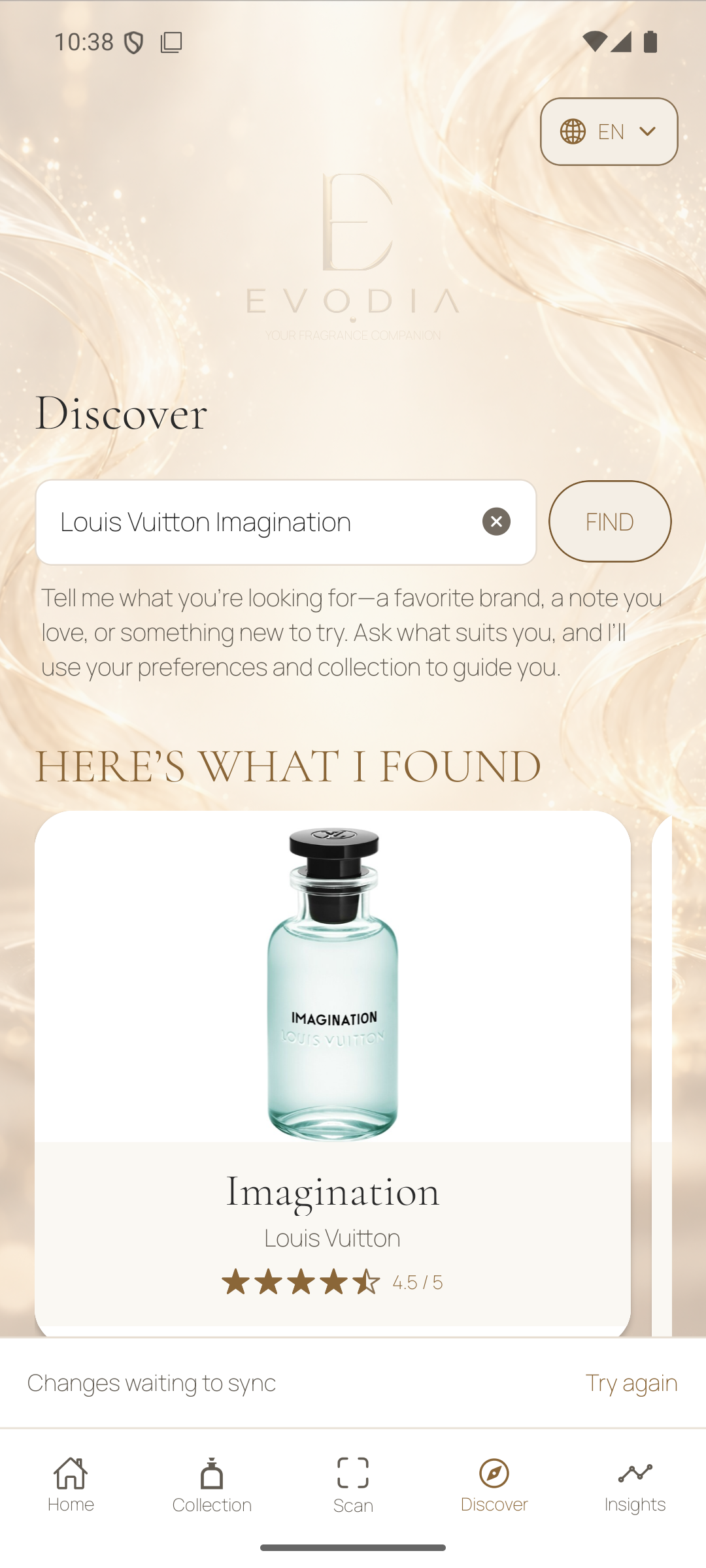
Discover combines a fragrance search with Worth Discovering and Fresh Arrivals. Use the same search field for a specific perfume, a house, a note, a scent description, or a request for a recommendation.
Try a prompt like one of these
- “Louis Vuitton Imagination Eau de Parfum.”
- “Citrusy fragrances from Louis Vuitton.”
- “Which vanilla fragrances would suit my taste and add something different to my collection?”
Search in your own words
Enter a name or describe what suits you, then tap Find. Open a result to check its notes and exact edition. Save it to your wishlist if you want to come back to it.
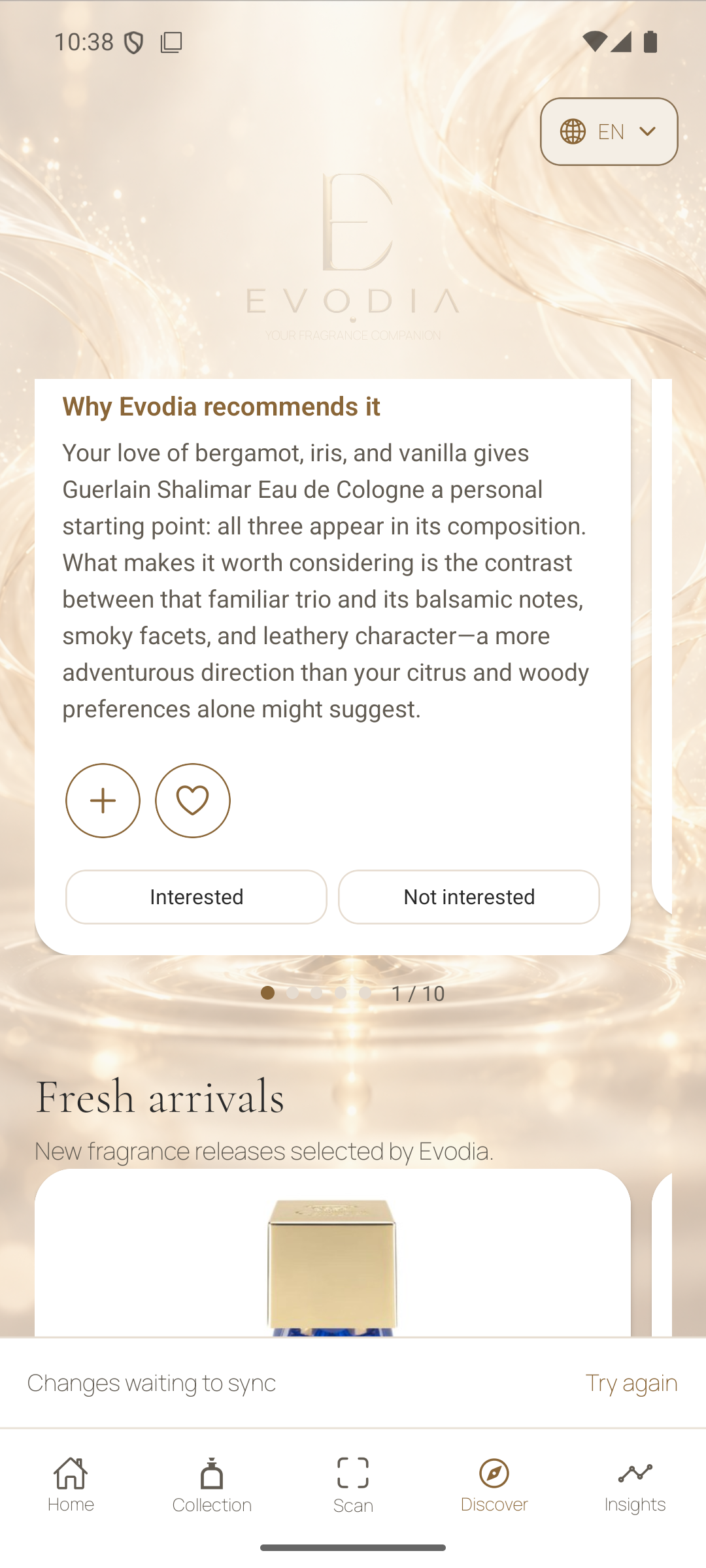
Worth Discovering
These suggestions reflect your eligible preferences, collection, and feedback. Read the reason attached to each recommendation. Use Interested or Not Interested to tell Evodia how you feel about that specific fragrance.
Fresh Arrivals
Browse the selection of recent fragrances chosen by Evodia. Open a release to see its details or save it for later.
Explore Insights
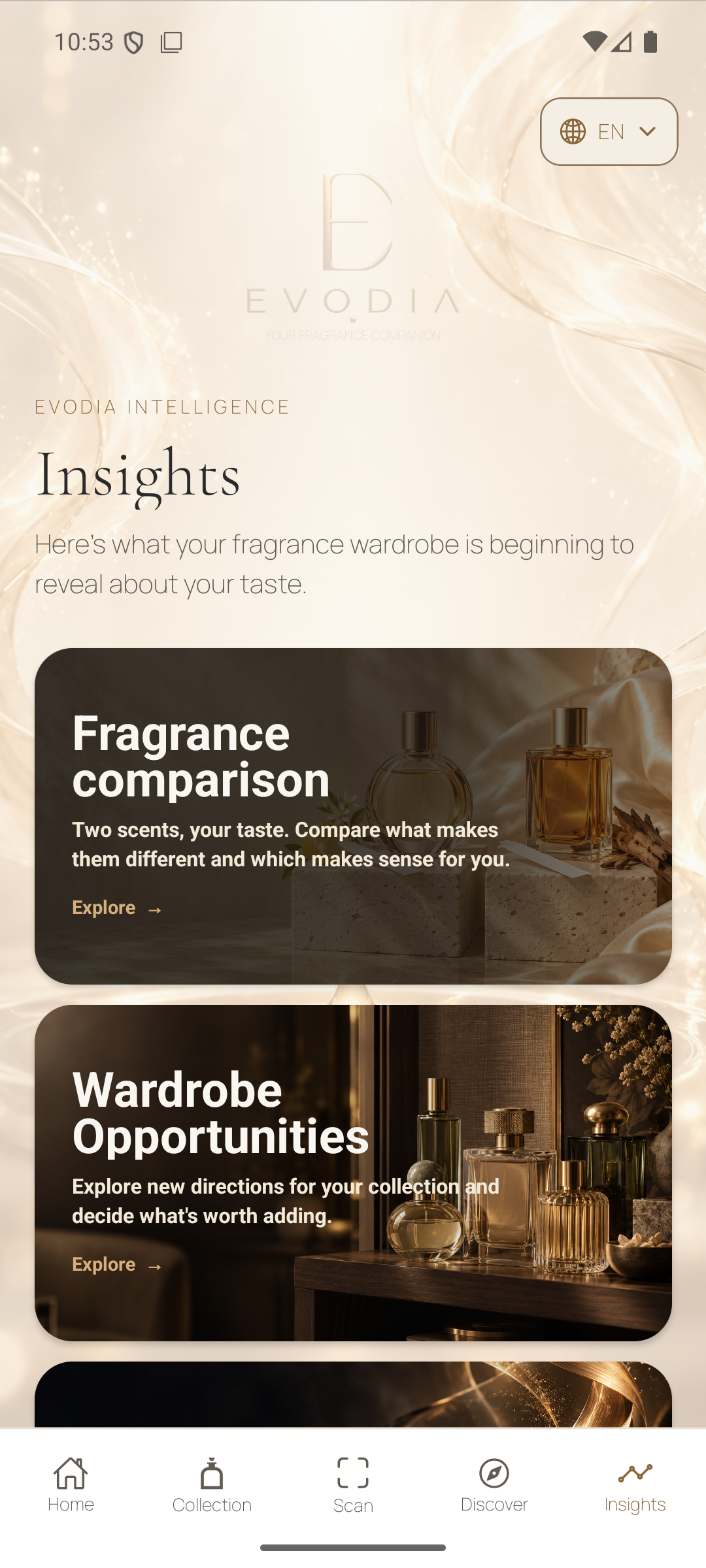
Open Insights to compare fragrances, find new ways to wear what you own, and explore the houses and perfumers behind the scents you love.
Decide what to sample next
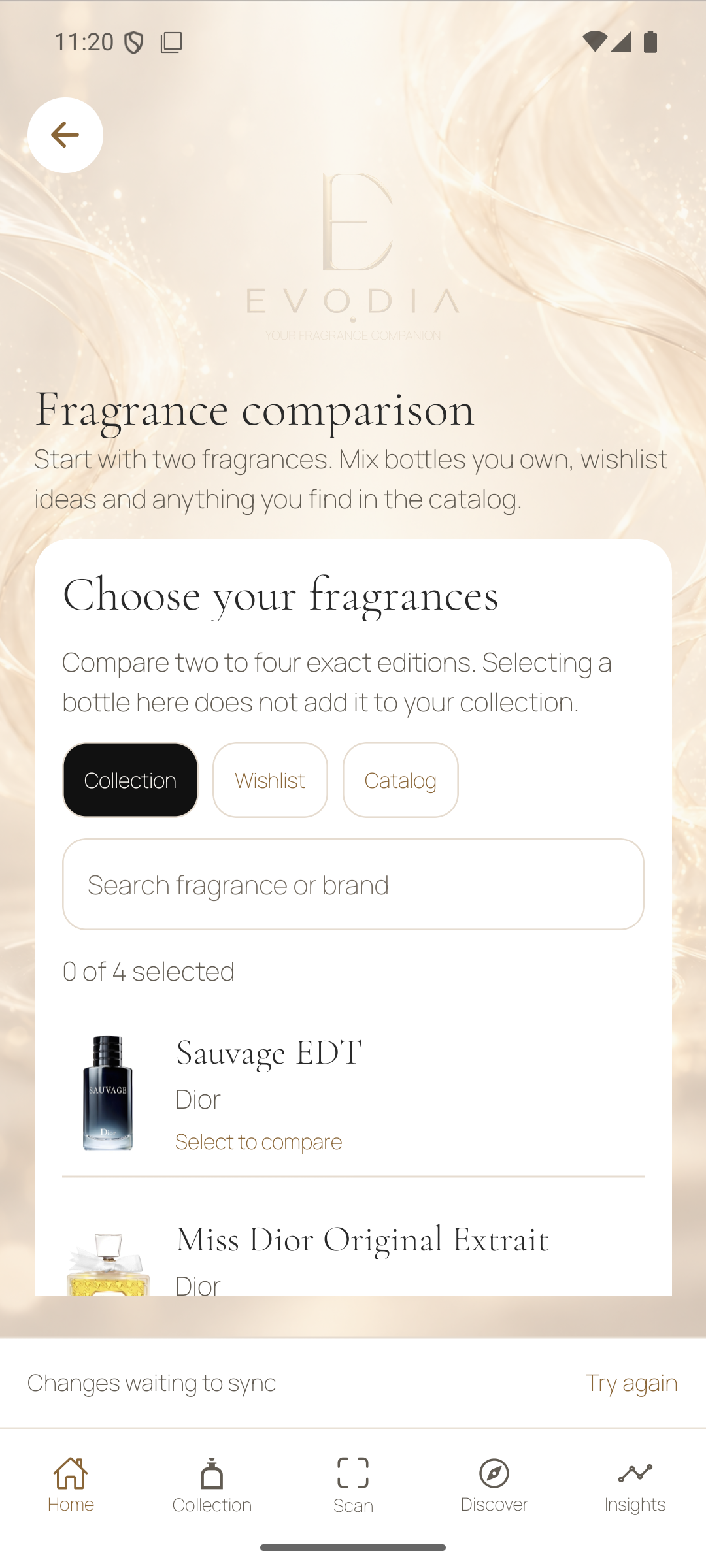
Fragrance Comparison
Choose two to four exact editions from Collection, Wishlist, or the catalog. Review their notes and scent differences side by side. For bottles you’re considering, see how each may suit your taste and what it could add. With bottles you already own, use the comparison to decide what to wear.
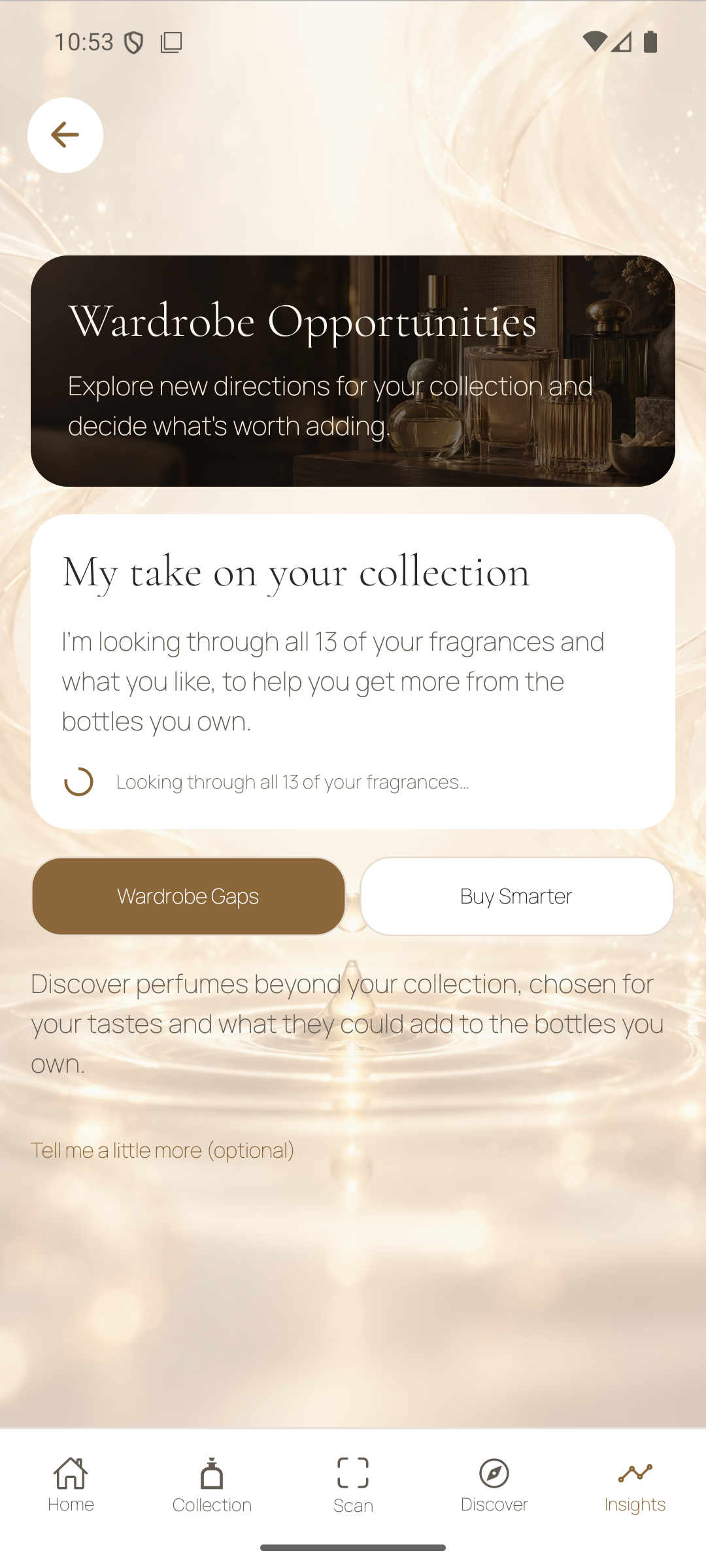
Wardrobe Opportunities
Open Wardrobe Opportunities in Insights, then choose Wardrobe Gaps to explore a new direction or Buy Smarter to weigh bottles already on your wishlist.
Wardrobe Gaps
See where a different style could add variety. Read why each suggestion might suit you, how it compares with the closest bottles you own, and what is worth sampling. Tap Show me more ideas for additional suggestions when available.
Buy Smarter
Allow wishlist use in personalization to start with your saved bottles, or search for a fragrance by name. Open View advice to see where it overlaps with what you own, what it could add, and what to sample before buying.
Get more from the bottles you own
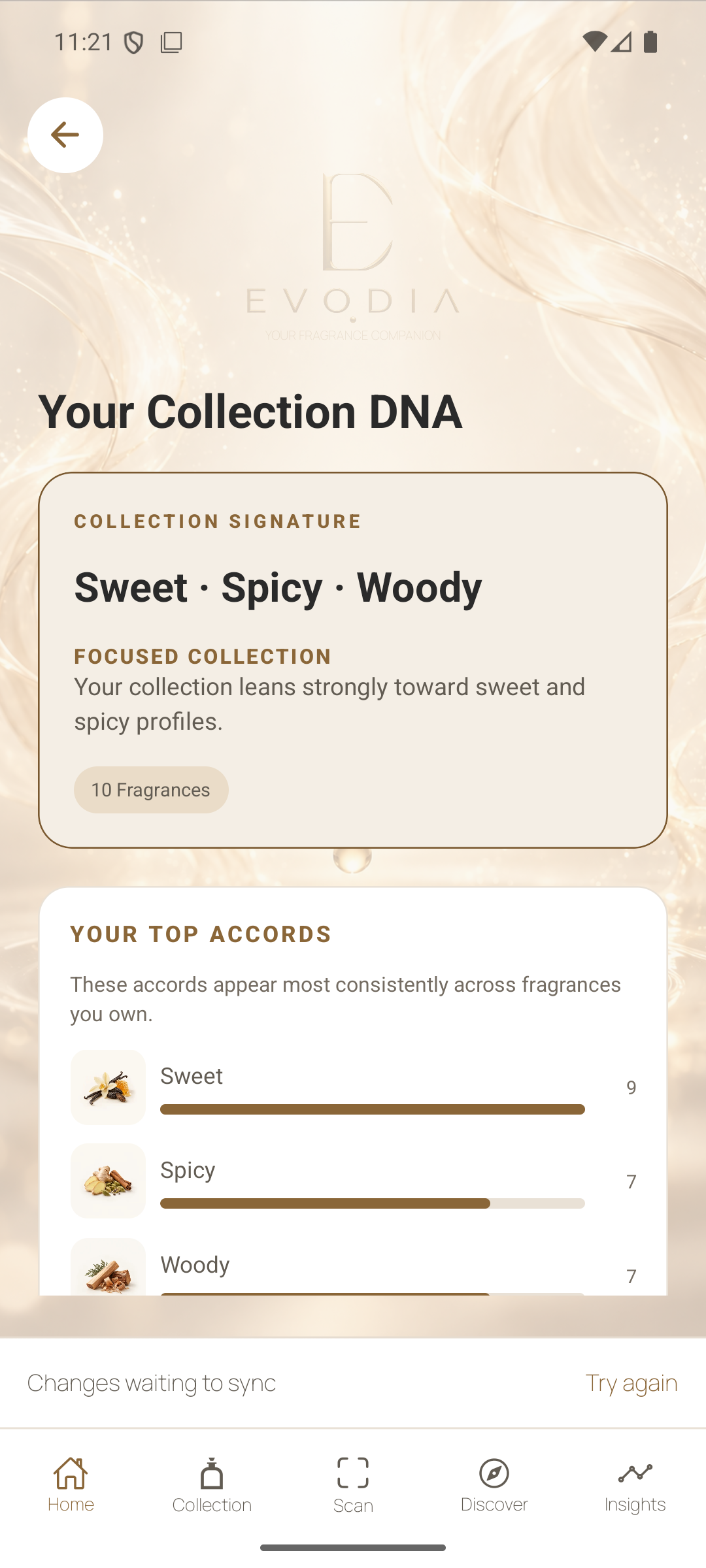
Collection DNA
See the accords and scent families that recur in the bottles you own. Use the patterns to put words to your taste and to spot which parts of your collection you tend to favor.
Rediscover My Collection
Find bottles you may have overlooked. Use the reasons for each suggestion to bring the right fragrance back into rotation, based on information such as when you last wore it.
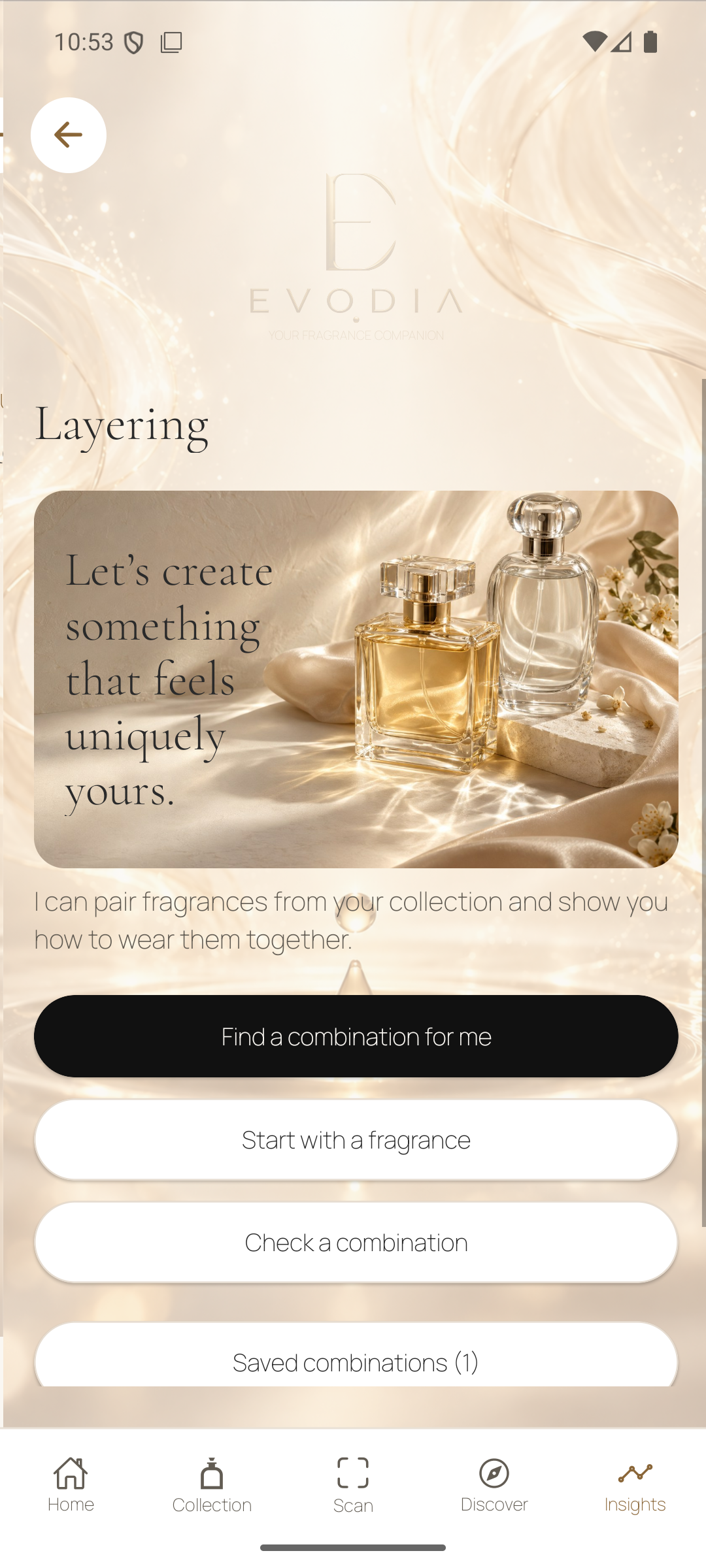
Layering
Pick a starting bottle from your collection and explore ranked pairings, or check two bottles of your choice. Open the pairing for why it may work, how it fits your taste, and how to wear it. Save combinations you want to revisit.
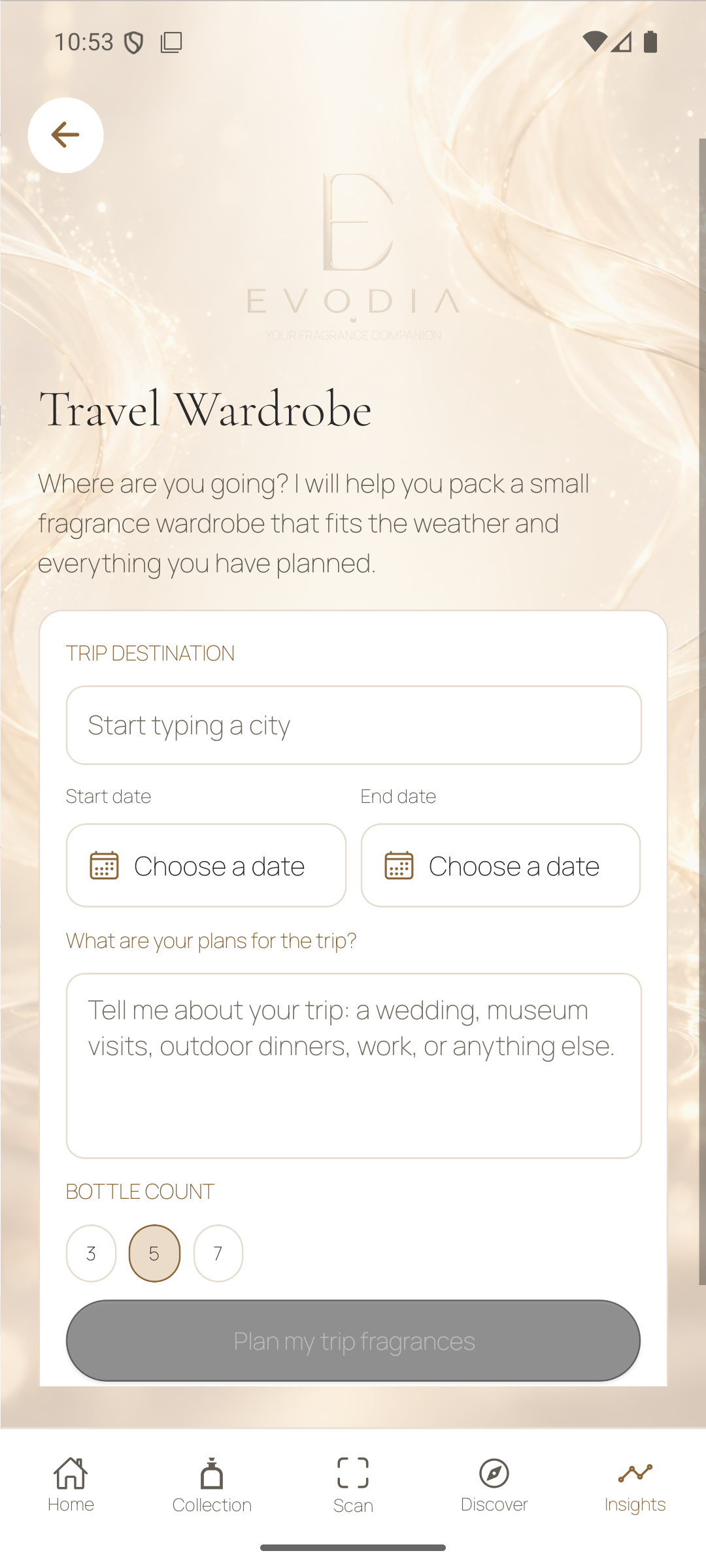
Travel Wardrobe
Enter a destination, dates, plans, and how many bottles you want to take. Evodia suggests options from your collection and uses a local forecast when available. Save the plan to revisit while you pack.
Fragrance Calendar
Review the days you logged a fragrance and revisit a wear from the calendar. Logging what you actually wore gives Evodia a clearer view of the bottles you reach for.
Explore houses and perfumers
Brand Explorer
Search by fragrance house and browse its catalog. Switch to personal recommendations when you want suggestions from that house based on your taste and what you already own.
Perfumer Explorer
Search for a perfumer and open their work across fragrance houses. Select one or more associated brands to focus the list and open a bottle to inspect its details.
Fragrances Around the World
Choose one or more countries to explore the fragrance houses based there. Open a house to browse its bottles and follow a new thread of discovery.
Manage your account and preferences
Open Settings from Home for sign-in, personalization, membership, privacy, and support. Choose English, Brazilian Portuguese, or Spanish from the language menu.
Profile and taste
Open Profile from Home to review your taste, preferences, and photo choices. You can update what you share as your collection and tastes change.
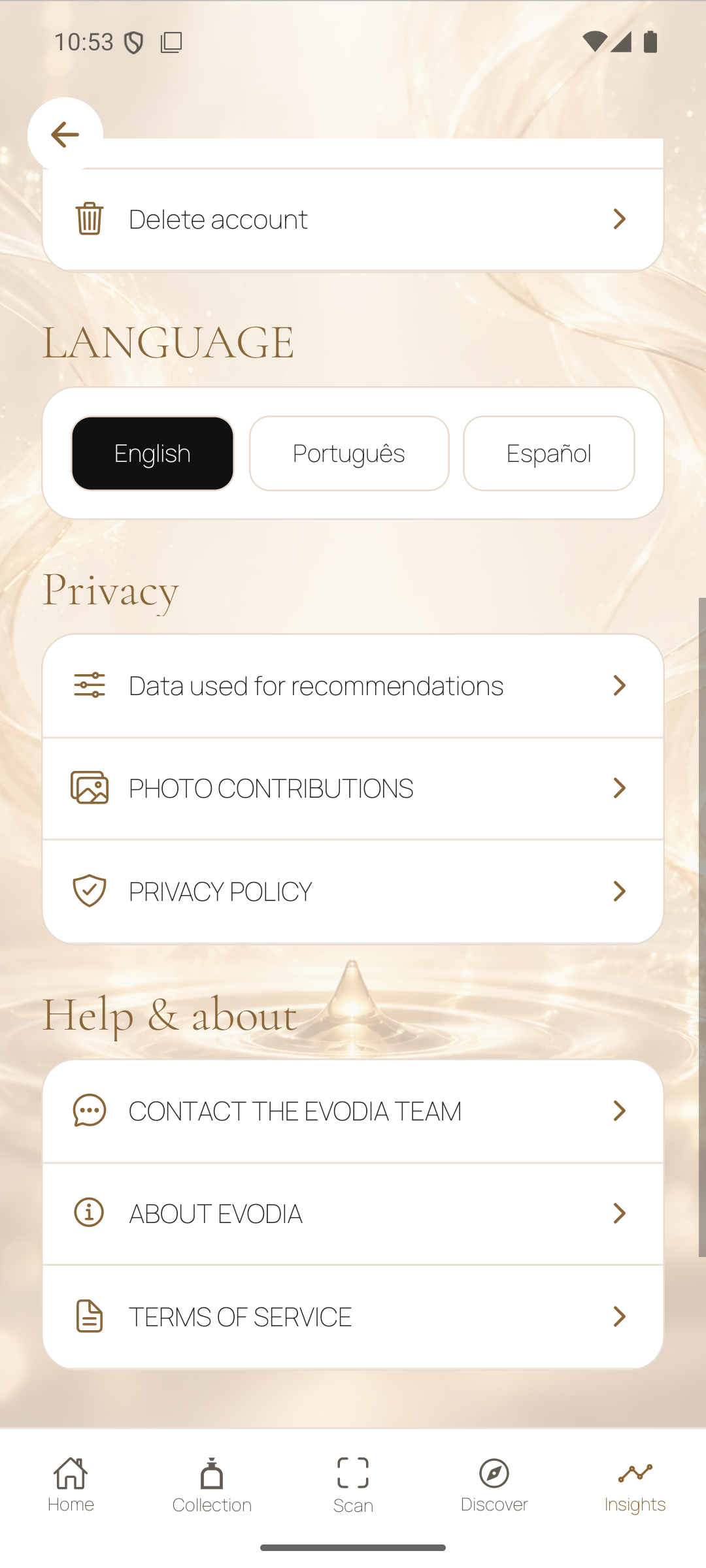
Screens from Evodia 1.0.6 for Android. Open any screenshot to see it full size.
Download Evodia
How does the seven-day trial work?
Finish setting up Evodia in the app. If your store confirms you’re eligible, tap Start my free week and confirm the trial with Apple or Google.
Your store shows the price, billing date, and cancellation terms before you confirm. The seven-day trial renews as a monthly subscription unless you cancel under those terms in your Apple or Google Play account settings.